


The workshop and after-sales
Repair shop management software
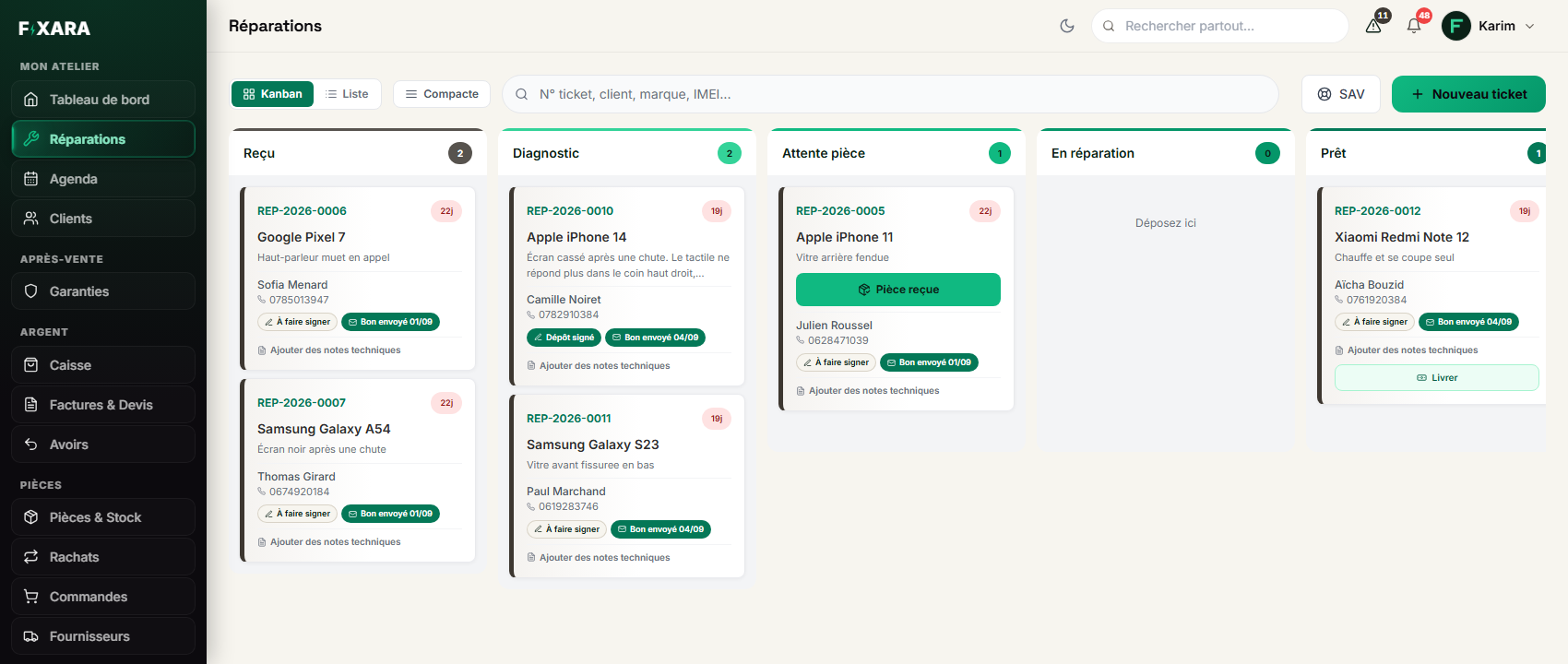
Every device that comes in has its ticket, its stage and its history. You see at a glance what is waiting for a part, what is ready and what is dragging.
14-day free trial, no credit card, no commitment.
What Fixara does
- Check-in in three steps: customer, device, condition and accessories.
- Column tracking: received, diagnosis, waiting for part, in repair, ready.
- Brand and model found from the IMEI, photos taken with your phone through a QR code.
- Parts added to the ticket leave the stock by themselves.
Included in
Plan Workshop€19 a month
What Fixara does not do
- No guided physical stock count on screen.
- Drag and drop between columns is for the computer; on a phone, the stage is changed from the list.
A repair, from the door to the counter
Check-in takes three screens. The customer is found by name or phone number, the device by brand and model, or straight from its IMEI. The fault is picked from a list, and the price from your own price list shows as soon as the model is known.
Then the ticket moves from column to column. When a part is ordered, it goes to “Waiting for part”; one click on “Part received” puts it back in repair, and the customer sees it on their tracking page.
What the ticket keeps for you
Everything that happens to the device stays on its ticket, still there months later when it comes back.
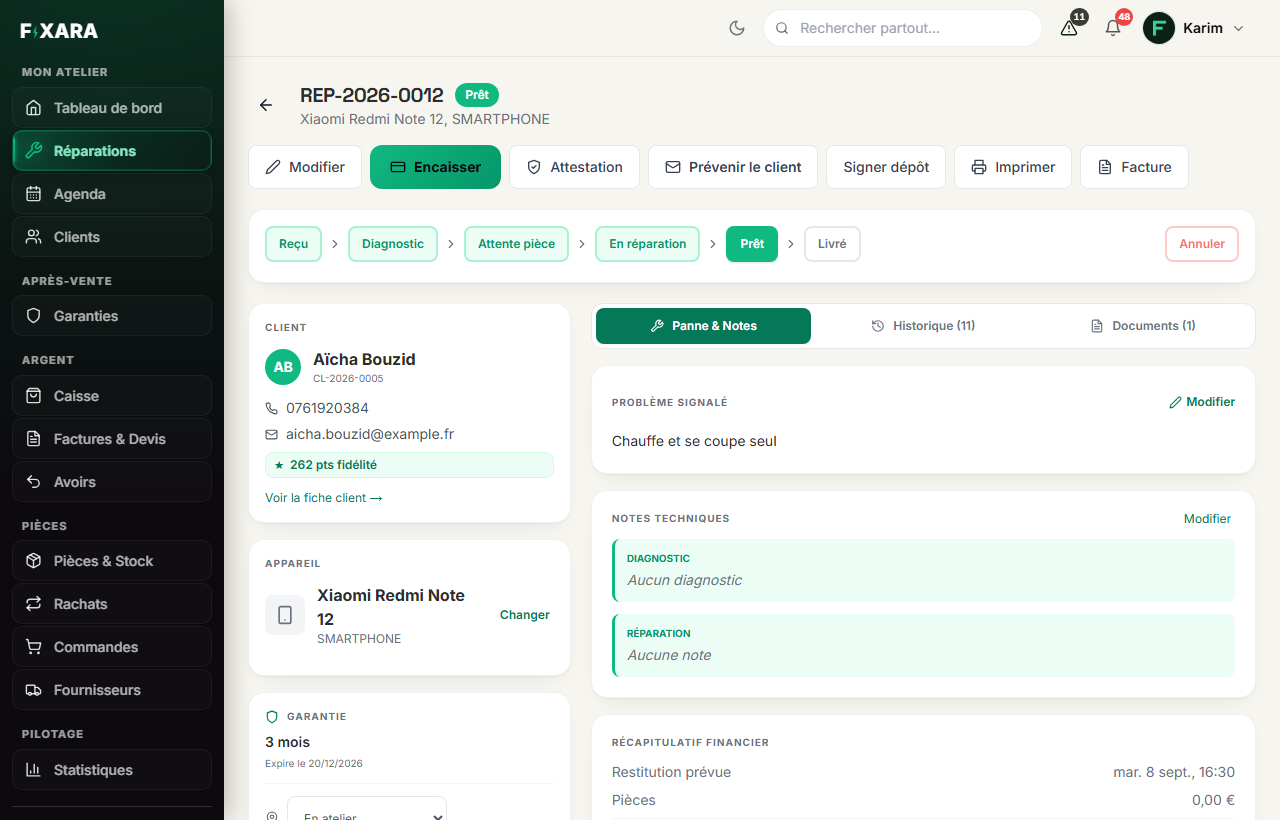
- The condition on arrival, the accessories left, the unlock codes (encrypted).
- Photos, taken with your phone by scanning a QR code shown on screen.
- The parts fitted, their cost and the stock movement.
- The planned return date and time, printed on the drop-off receipt.
When the device cannot be repaired
A device can go from “Diagnosis” to “Ready” without a repair, with a paid or free diagnosis: the customer gets the right message, and no warranty is opened. See after-sales and warranties.
Frequently asked questions
How many devices can I track?
As many as you like: there is no limit on tickets, customers or repairs.
Does the software know the models?
Yes: a catalogue of 31 brands and more than 500 models, and a typed IMEI fills in the brand and model when it is recognised.
Do I need to install anything?
No. Fixara runs in the browser, on computer, tablet and phone, and can be installed like an app.
A customer drops off two devices: how does it work?
Each device has its own repair, and both are linked to the same customer.
Are unlock codes protected?
Yes: they are encrypted, and erased when the device is handed back or the repair is cancelled.
How to do it, step by step
Everything else is in the same software
The workshop, the till, the stock, the customers, the invoices and your website: one single app, in the browser. See all features.